
Gemini 3 Pro Image / Commercial design production
Nano Banana Pro × Seedream 5.0 Pro
Nano Banana Pro handles briefs that need deliberate interpretation. Turn design briefs, product concepts, multilingual layouts, and information-heavy ideas into polished visual directions with more control over details, layers, and text.

What is Nano Banana Pro? / What is Seedream 5.0 Pro?
Professional production often combines constraints that must coexist: a hero subject, supporting products, spatial relationships, hierarchy, localized copy, and a defined visual language. Nano Banana Pro is designed for professional asset production and complex instructions. That role concerns coordinated interpretation, not inherent text-rendering superiority, and both models still require text QA. Seedream 5.0 Pro is a higher-control AI image creation path for commercial design work. It is suited to precise visual edits, layered design diagrams, multilingual typography, product concepts, and complex information graphics.
Nano Banana Pro
Professional production often combines constraints that must coexist: a hero subject, supporting products, spatial relationships, hierarchy, localized copy, and a defined visual language. Nano Banana Pro is designed for professional asset production and complex instructions. That role concerns coordinated interpretation, not inherent text-rendering superiority, and both models still require text QA.
Seedream 5.0 Pro
Seedream 5.0 Pro is a higher-control AI image creation path for commercial design work. It is suited to precise visual edits, layered design diagrams, multilingual typography, product concepts, and complex information graphics.
Image production becomes a conversation between intent, evidence, and revision / Edit details, separate layers, explain more clearly
These models do more than turn a short phrase into a picture. They interpret text, reference images, visual relationships, requested edits, and available grounding signals as one creative problem. Strong results begin when you separate the parts of that problem: what must be true, what may change, what should look convincing, and what must survive review. Use Seedream 5.0 Pro when the visual needs to stay useful after the first generation: refine local details, plan layered elements, and build layouts with more information.

Multimodal understanding turns references into roles
A reference is most useful when its job is explicit. One image may define a character, another a product shape, another a lighting language, and another a composition. Naming those roles helps the model distinguish identity from atmosphere.
Instruction following translates a brief into visual priorities
A good prompt establishes hierarchy. It tells the model which subject leads, where supporting objects sit, what the camera sees, which materials matter, and what must not change. Precise instructions do not mean adding endless adjectives.
Generation and editing belong in the same loop
The first useful image is rarely the final image. A production workflow alternates between generating a direction and editing a specific weakness. Keep approved details stable, isolate one correction, and compare the result with the previous version.
Precise edits
Adjust specific areas without losing the full visual direction.
Layered design
Plan text, objects, and layout blocks as separate creative elements.
Dense layouts
Create charts, explainers, deck-style pages, and information-rich visuals.
10+ languages
Design for multilingual campaigns with stronger text layout awareness.
Nano Banana Pro
Nano Banana Pro handles briefs that need deliberate interpretation
Professional production often combines constraints that must coexist: a hero subject, supporting products, spatial relationships, hierarchy, localized copy, and a defined visual language. Nano Banana Pro is designed for professional asset production and complex instructions. That role concerns coordinated interpretation, not inherent text-rendering superiority, and both models still require text QA.
Complex composition benefits from explicit hierarchy
Use Pro when the frame must coordinate foreground, background, subjects, props, copy space, and camera logic. Describe the reading order and the relationship between elements, not just the inventory. If the layout is dense, specify what may be simplified.
Typography becomes a reviewable design element
A complex professional asset may include short text, typography, or multilingual layouts among many coordinated constraints. Pro can interpret that broader brief, but it does not guarantee better text rendering. Keep copy concise, provide exact capitalization and line breaks, reserve enough space, and inspect every character from either model.
Reference limits favor carefully selected evidence
Within the 14-image limit, Nano Banana Pro supports up to 6 object references and 5 character references. Use the character capacity when identity continuity carries the narrative, and choose object references that define essential shape, material, or packaging.
High-resolution delivery still needs staged quality control
Pro supports 1K, 2K, and 4K output. Move upward after composition, identity, text placement, and content have passed review. At 4K, small defects become easier to see, including repeated texture, edge artifacts, malformed details, and weak type.
Seedream 5.0 Pro
More control for design teams
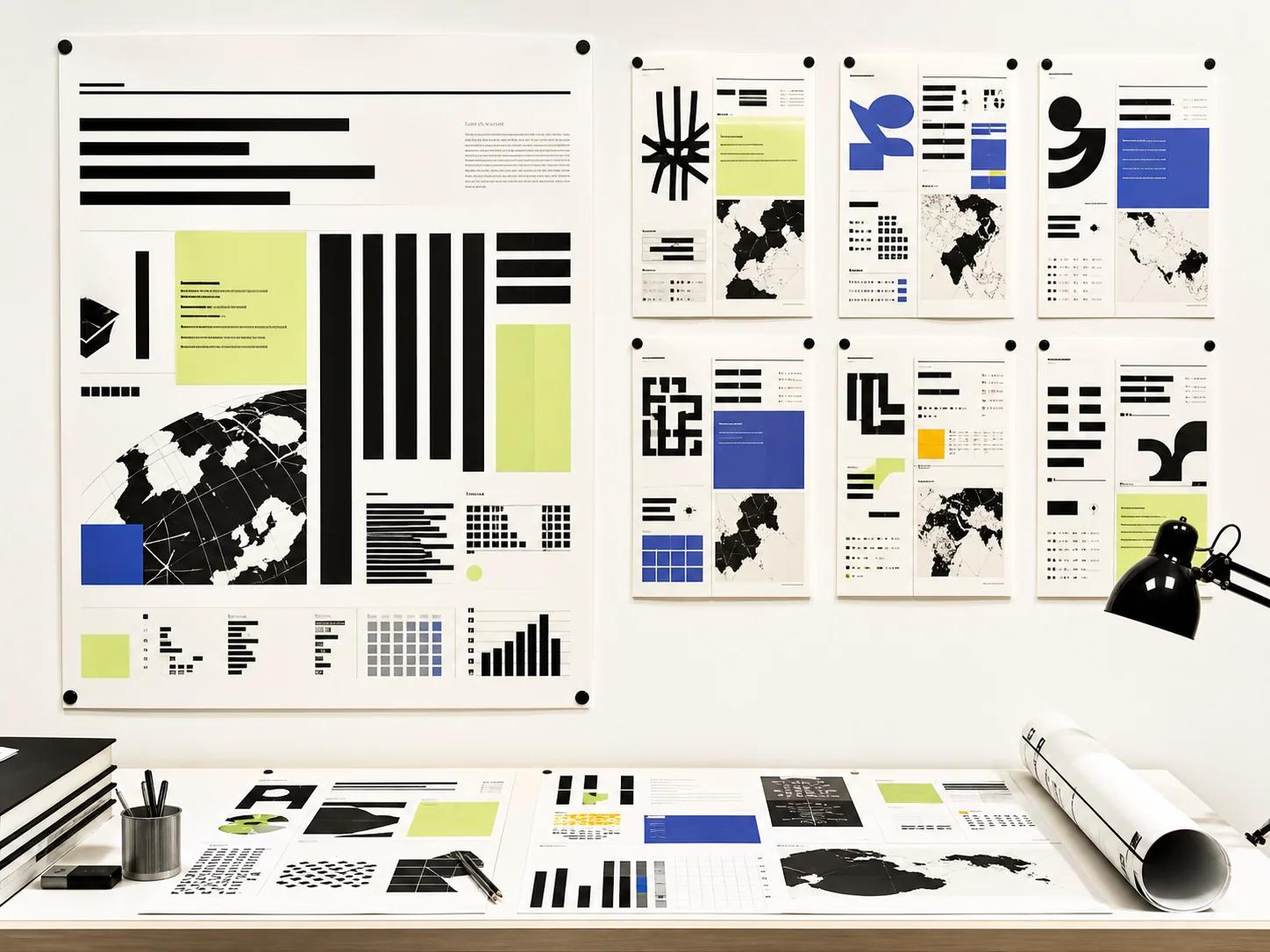
Pro helps turn generated visuals into design assets that are easier to refine, present, and reuse.
Precise local editing
Focus on the exact region that needs a change, such as a product area, background detail, label, object, or composition issue.
Layer-aware design
Think in editable parts: headline, product, background, callout, chart, icon, and layout block.
High-density information
Create visuals that explain more at once, including charts, process diagrams, comparison panels, and page-style layouts.
Multilingual text layouts
Build visual directions for global campaigns where text placement, language length, and typography all matter.
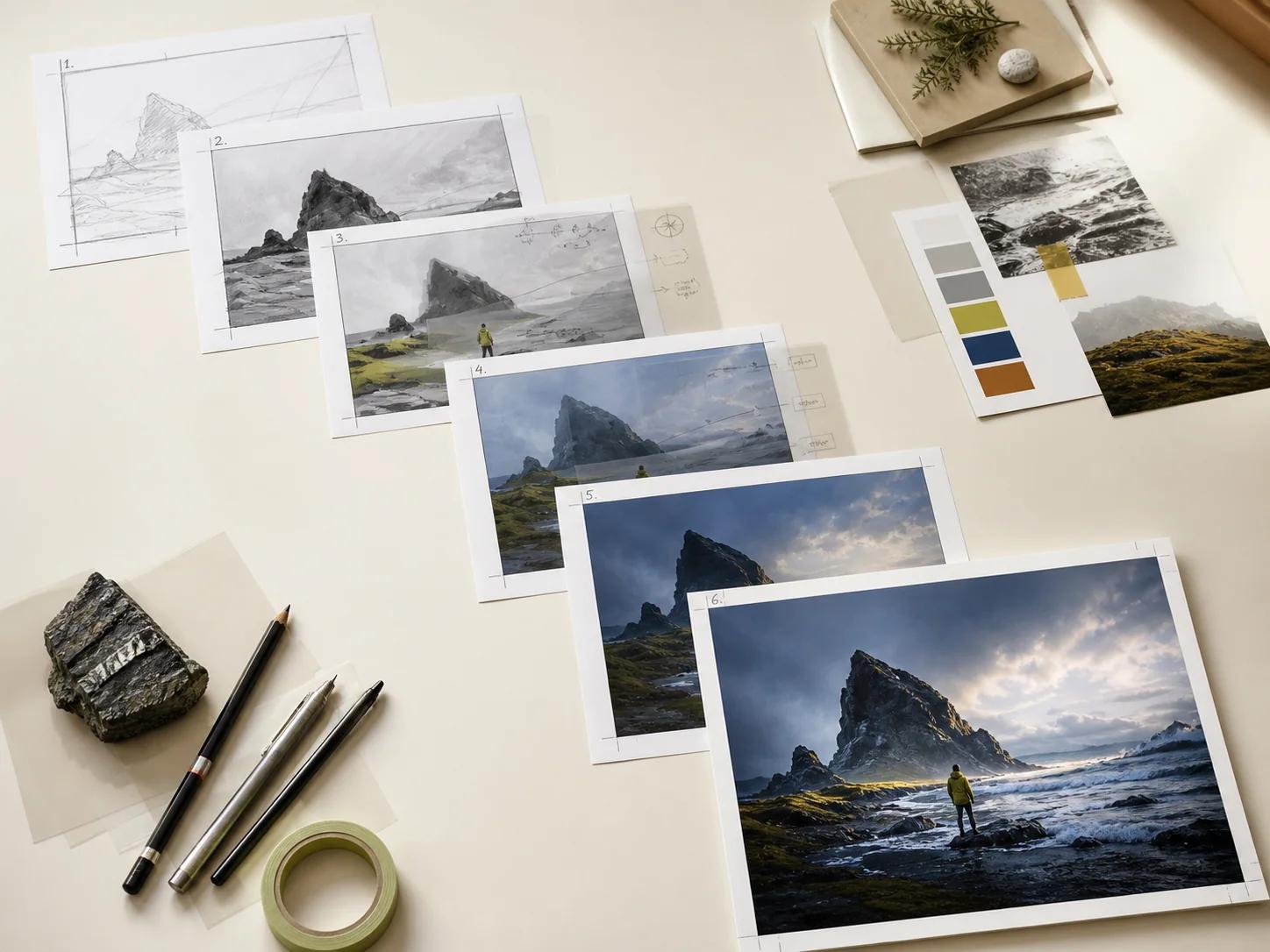
Sketch to polished concept
Move from rough ideas, outlines, and layout notes to presentable design directions faster.
Brand and commerce ready
Create campaign visuals, ecommerce sections, product explainers, and ad concepts with stronger production discipline.

Nano Banana Pro / Seedream 5.0 Pro
Professional production often combines constraints that must coexist: a hero subject, supporting products, spatial relationships, hierarchy, localized copy, and a defined visual language. Nano Banana Pro is designed for professional asset production and complex instructions. That role concerns coordinated interpretation, not inherent text-rendering superiority, and both models still require text QA. Lite is the fastest route for many drafts. Pro is the higher-control route for serious design assets.
| Feature | Nano Banana Pro | Seedream 5.0 Pro |
|---|---|---|
| Primary use | Professional asset production, complex instructions, and detail-sensitive compositions where one selected direction needs a more deliberate finish. | Commercial design assets and precise visual refinement |
| Best for | Gemini 3 Pro Image, positioned for professional production and briefs with complex instructions. | Layered designs, infographics, multilingual pages, and local edits |
| Control level | 1K, 2K, and 4K, supporting working reviews and high-resolution professional delivery. | Region-level edits, layer planning, and structured layouts |
| Information density | Search grounding for knowledge-aware production, with human review required for every publishable factual detail. | Charts, explainers, deck-style layouts, and complex graphics |
| Team fit | Within the 14-image limit, up to 6 object references and 5 character references, useful for identity-led professional scenes. | Brand, advertising, design, product marketing, and knowledge teams |
Build assets around a real deliverable, not an abstract demonstration / Where Seedream 5.0 Pro stands out
The strongest workflow begins with a communication job and a review condition. Define who will see the image, where it will appear, what must remain accurate, and what the viewer should understand first. Then use the model to create a system of useful outputs. Use Pro when a generated image needs to communicate clearly, carry more information, and support serious design work.

Nano Banana Pro
Ecommerce product systems
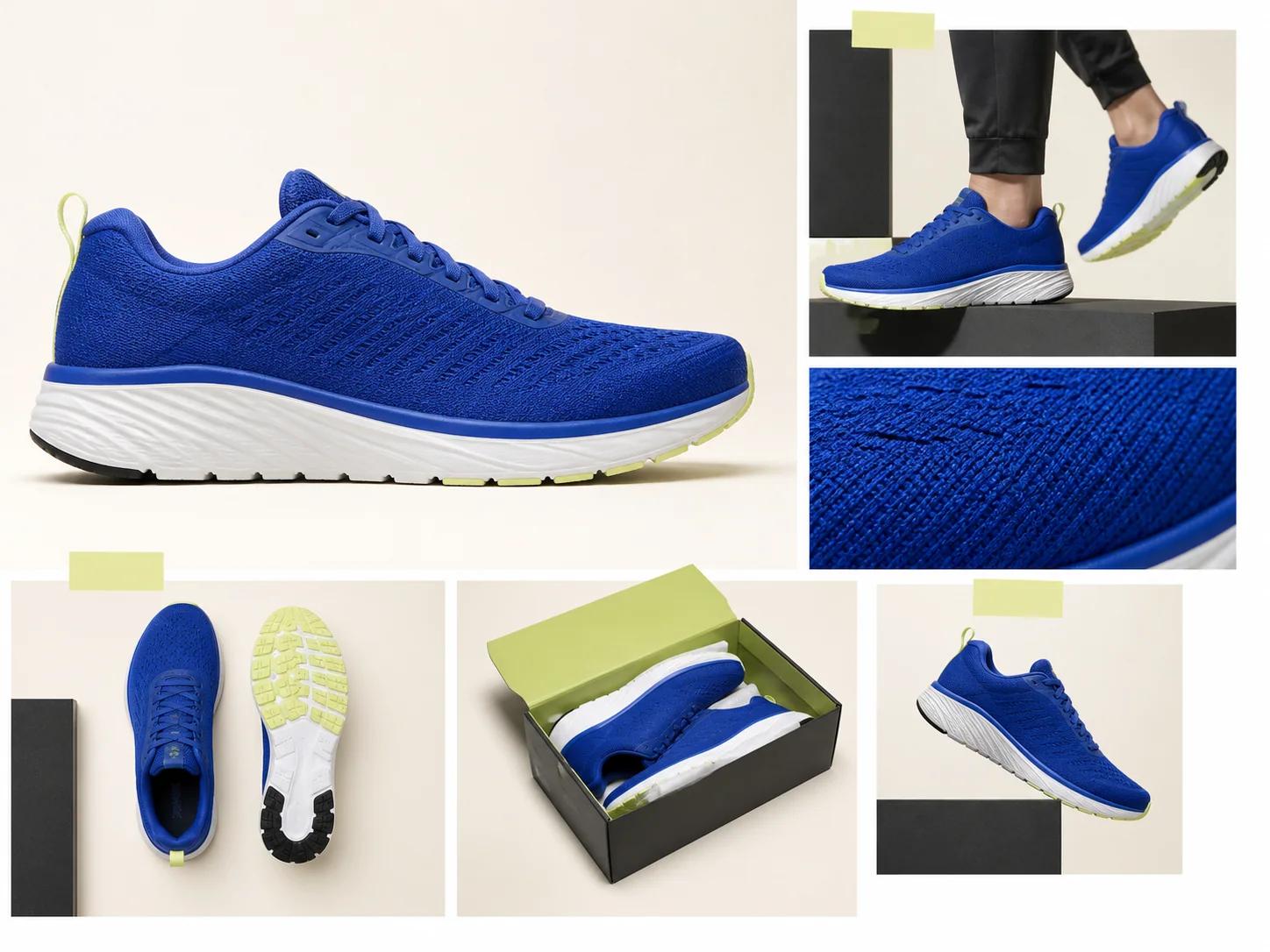
Start with clean product references and define which packaging, silhouette, material, color, and label details are fixed. Explore environments, camera angles, seasonal treatments, and supporting props without allowing the product identity to drift. A coordinated set of hero images, detail crops, category banners, and channel-specific product scenes. The system separates product truth from campaign atmosphere, making revisions easier to diagnose and approved visual rules easier to reuse.
Nano Banana Pro
Integrated campaign creative
Translate one campaign idea into a repeatable visual grammar: focal subject, color behavior, lighting, negative space, type zone, and emotional tone. Generate distinct routes before choosing a style. Once selected, document the approved cues and apply them across placements. A campaign family spanning launch hero, display placements, editorial crops, announcement graphics, and presentation imagery. Teams evaluate ideas as connected systems instead of approving isolated attractive images that cannot extend across the campaign.
Nano Banana Pro
Product photography concepts
Use generation to explore art direction before committing to a physical setup. Test surfaces, light sources, reflections, lens distance, background shape, and prop relationships. Treat synthetic concepts as planning material unless the final production standard allows generated assets. Shot-list references, lighting studies, set-design options, and selected production compositions. Creative and production teams can discuss visible alternatives with precise notes instead of relying only on verbal mood descriptions.
Nano Banana Pro
Interface and service concepts
Create visual narratives around a service, feature, or user moment without asking the model to replace interface design. Define the device context, user goal, environment, and emotional signal. Keep screens simple and place final interface text separately when accuracy matters. Launch-page illustrations, feature narratives, onboarding concepts, pitch imagery, and storyboard frames. Abstract services become easier to understand while the real product interface remains controlled by the design system and approved copy.
Nano Banana Pro
Educational and knowledge visuals
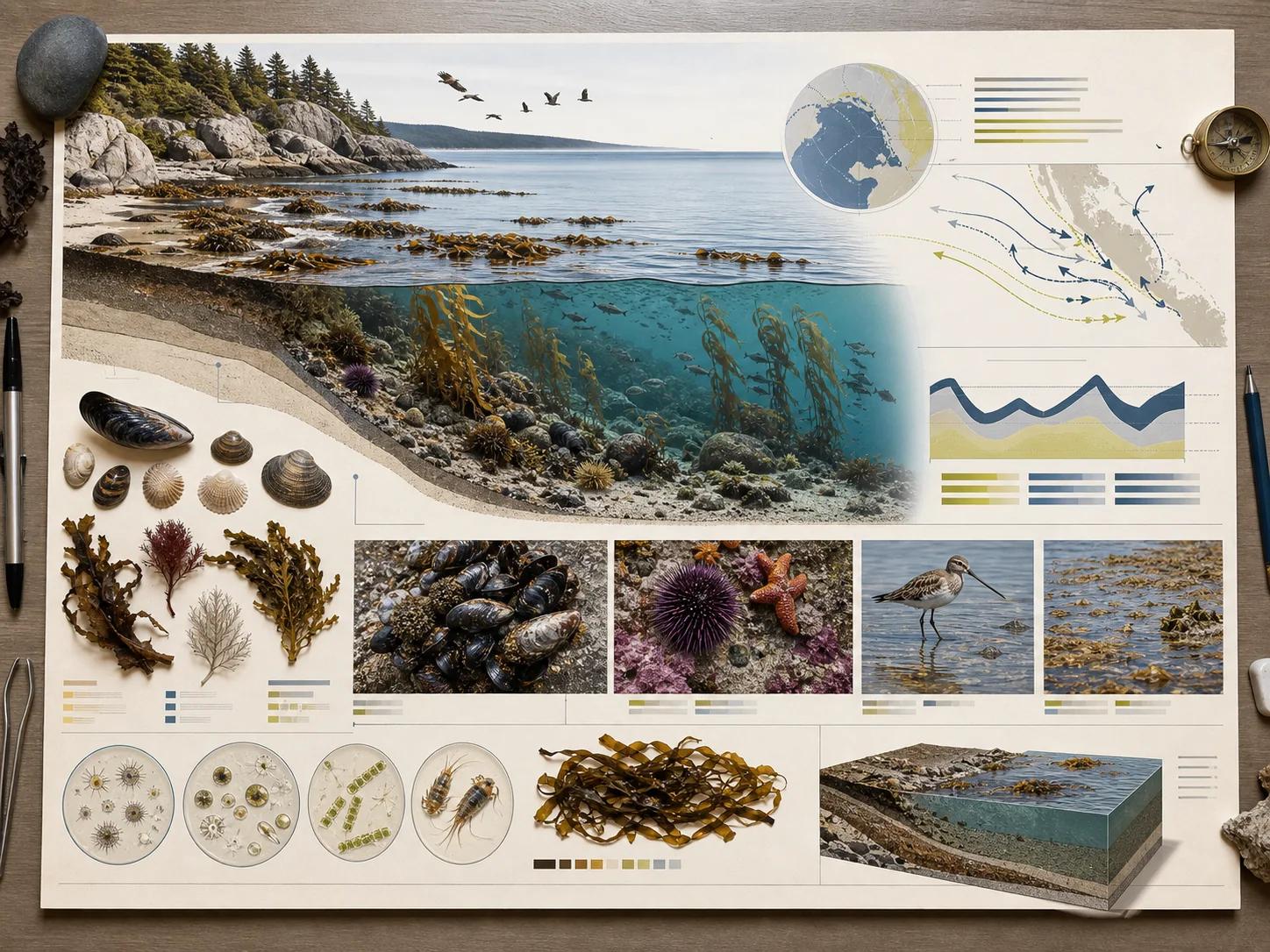
Begin with the learning objective, then decide whether the image should explain a process, compare categories, establish context, or make an invisible system memorable. Grounding can support research-led drafts, but every factual element must be checked. Concept diagrams, lesson openers, process scenes, visual analogies, and supporting explanatory art. The workflow combines narrative clarity with verification, so visual appeal supports understanding rather than becoming a substitute for accuracy.
Nano Banana Pro
Character and subject systems
Create a reference sheet that identifies facial structure, hair, wardrobe, signature objects, proportions, and non-negotiable traits. Use character references deliberately and describe what changes between scenes. Compare outputs side by side for identity drift, not just local attractiveness. A controlled sequence of character portraits, scenes, expressions, actions, and campaign moments. A shared identity checklist gives reviewers concrete language for continuity and reduces vague requests to make a subject look more consistent.
Nano Banana Pro
Localized campaign adaptation
Localize the full visual reading experience, not only the words. Account for text expansion, reading direction, cultural context, product availability, color meaning, and placement conventions. When localized composition is one part of a broader complex professional brief, Pro can help coordinate the constraints. It does not guarantee better text rendering, so verify every character and regional detail with fluent reviewers. Regional campaign masters with adapted layout, imagery, copy space, and channel crops for each market. Localization becomes a designed production track with visible decisions, rather than a late text replacement that breaks hierarchy or context.
Seedream 5.0 Pro
Advertising and brand visuals
Create polished campaign concepts, product hero images, and adaptable creative directions for brand teams.
Seedream 5.0 Pro
Ecommerce page design
Build product modules, feature explainers, comparison sections, sale graphics, and store page concepts.
Seedream 5.0 Pro
Infographics and explainers
Turn complex ideas into charts, process visuals, educational graphics, and dense knowledge layouts.
Seedream 5.0 Pro
Multilingual campaigns
Explore global creative directions where copy, layout, and visual hierarchy need to work across languages.
Write a production brief the model can prioritize / How to create stronger Pro-style visuals
A prompt works best when it behaves like a compact art-direction document. State the objective first, then describe the subject, composition, visual materials, lighting, typography, constraints, and reference roles. Put the most important decisions before decorative style. If a result fails, revise the layer responsible for the failure instead of adding unrelated adjectives. A more structured brief gives Seedream 5.0 Pro clearer design intent.
- 01
Nano Banana Pro
1. Objective
Name the deliverable and the viewer action. A launch hero, product detail image, educational opener, and social teaser require different hierarchy. Include placement and aspect ratio when they affect composition.
- 02
Nano Banana Pro
2. Subject
Describe the primary subject with concrete identity cues, posture, expression, product geometry, or defining features. Separate fixed traits from changeable styling. If references are present, state which reference controls identity and which provides supporting detail.
- 03
Nano Banana Pro
3. Composition
Specify camera distance, angle, focal position, negative space, foreground and background relationships, and reading order. If text will be added later, reserve a clean region and identify it.
- 04
Nano Banana Pro
4. Material and style
Define the image language through observable qualities such as brushed metal, soft paper, translucent glass, editorial photography, precise vector-like forms, or tactile studio craft. A few compatible cues are stronger than a long list of conflicting trends.
- 05
Nano Banana Pro
5. Lighting and color
Describe source direction, softness, contrast, atmosphere, and the role of key colors. State where highlight and shadow should help the hierarchy. If color accuracy matters, use references and review under the intended display conditions.
- 06
Nano Banana Pro
6. Typography
Provide exact short copy, capitalization, line grouping, placement, and intended character. Ask for enough contrast and breathing room. Generated text can still contain errors, so make character-level review mandatory.
- 07
Nano Banana Pro
7. Constraints
List the details that must not change, the elements that must not appear, and the acceptable simplifications. Constraints are most effective when they resolve a known risk, such as preserving a package silhouette or avoiding extra fingers, duplicate products, logos, tiny background faces, or decorative text.
- 08
Nano Banana Pro
8. Reference roles
Assign each reference a function: character identity, object truth, pose, composition, light, palette, or texture. Do not ask one reference to control everything unless that is genuinely the goal. When sources conflict, declare a priority.
- 09
Seedream 5.0 Pro
Define the business goal
Start with the audience, channel, product, message, language, and conversion goal.
- 10
Seedream 5.0 Pro
Describe the layout
Explain the hierarchy, focal point, text areas, image areas, and supporting details.
- 11
Seedream 5.0 Pro
Call out edit zones
Name the parts that need special control, such as a product label, chart section, headline, or background.
- 12
Seedream 5.0 Pro
Refine into a design asset
Use the strongest result as a campaign image, page section, deck visual, infographic, or product concept.
Measure the workflow by decisions improved, not claims invented / What Pro helps you create
The business case for an image model should come from observable changes in creative operations. Count how many distinct routes reach review, how often a brief survives handoff, how much rework comes from preventable ambiguity, and whether localized assets remain part of one coherent system. Do not assume a universal return. A stronger fit for design work that needs precision, structure, and richer visual communication.
- Nano Banana ProMultimodal understanding turns references into roles
- A reference is most useful when its job is explicit. One image may define a character, another a product shape, another a lighting language, and another a composition. Naming those roles helps the model distinguish identity from atmosphere.
- Nano Banana ProInstruction following translates a brief into visual priorities
- A good prompt establishes hierarchy. It tells the model which subject leads, where supporting objects sit, what the camera sees, which materials matter, and what must not change. Precise instructions do not mean adding endless adjectives.
- Nano Banana ProGeneration and editing belong in the same loop
- The first useful image is rarely the final image. A production workflow alternates between generating a direction and editing a specific weakness. Keep approved details stable, isolate one correction, and compare the result with the previous version.
- Nano Banana ProHigher test density
- A responsive workflow makes it practical to test meaningful variables across composition, crop, environment, and message. More output alone is not value. Define a hypothesis for each route and retire duplicates.
- Nano Banana ProLower avoidable rework
- Structured prompts, assigned references, and approval notes expose why an image failed. That can reduce cycles caused by vague feedback or lost context. Track repair categories such as identity drift, incorrect text, or weak hierarchy.
- Nano Banana ProScalable localization
- A shared asset map lets regional teams adapt text space, direction, context, and imagery while preserving the campaign idea. Evaluate localization by completeness, reading quality, and visual coherence.
- Nano Banana ProMore consistent asset systems
- Reference roles, fixed identity cues, and side-by-side review help a team create a recognizable family rather than a folder of unrelated images. Measure consistency with a checklist for subject, product, palette, lighting, and layout behavior.
- Seedream 5.0 ProGreat for
- Commercial design, brand visuals, ecommerce pages, infographics, and multilingual layouts
- Seedream 5.0 ProDesign control
- Local edits, layer planning, text areas, objects, composition, and information hierarchy
- Seedream 5.0 ProOutput direction
- Polished campaign concepts, explainers, design diagrams, and dense visual pages
- Seedream 5.0 ProCreative input
- Business goals, layout notes, copy direction, reference images, and edit instructions
- Seedream 5.0 ProBest team fit
- Brand, advertising, ecommerce, product marketing, design, and knowledge teams
Use-case atlas / Pick the best Seedream path
The strongest workflow begins with a communication job and a review condition. Define who will see the image, where it will appear, what must remain accurate, and what the viewer should understand first. Then use the model to create a system of useful outputs. Compare speed-focused and precision-focused image creation before you start.
Nano Banana Pro
The strongest workflow begins with a communication job and a review condition. Define who will see the image, where it will appear, what must remain accurate, and what the viewer should understand first. Then use the model to create a system of useful outputs.
The business case for an image model should come from observable changes in creative operations. Count how many distinct routes reach review, how often a brief survives handoff, how much rework comes from preventable ambiguity, and whether localized assets remain part of one coherent system. Do not assume a universal return.
Seedream 5.0 Pro
Use Pro when a generated image needs to communicate clearly, carry more information, and support serious design work.
A stronger fit for design work that needs precision, structure, and richer visual communication.
Direct answers for planning a Nano Banana workflow / Seedream 5.0 Pro FAQ
Use these answers to establish the model choice, reference plan, output size, prompt structure, and review standard before production begins. Capabilities can improve the starting point, but the team remains responsible for factual checks, readable text, continuity, and fit for the intended channel. Pro helps turn generated visuals into design assets that are easier to refine, present, and reuse.
Professional production often combines constraints that must coexist: a hero subject, supporting products, spatial relationships, hierarchy, localized copy, and a defined visual language. Nano Banana Pro is designed for professional asset production and complex instructions. That role concerns coordinated interpretation, not inherent text-rendering superiority, and both models still require text QA.
Within the 14-image limit, Nano Banana Pro supports up to 6 object references and 5 character references. Use the character capacity when identity continuity carries the narrative, and choose object references that define essential shape, material, or packaging.
Use generated typography when it survives character-level review and fits the risk of the placement. Keep wording short, provide exact copy and line structure, and allow enough space. Both models can still make text errors.
Review message hierarchy, subject identity, character continuity, product geometry, text, factual details, anatomy, object boundaries, reflections, shadows, color, crop safety, output dimensions, and local-language accuracy. Inspect the full frame and close crops at real display size. Compare related assets together.
It is best for commercial visuals that need more control, such as brand campaigns, ecommerce layouts, infographics, product explainers, and multilingual designs.
Precise editing helps teams focus on the exact area that needs improvement instead of restarting the whole visual direction.
Yes. It is useful when you need to plan text, objects, callouts, backgrounds, and layout blocks as separate design elements.
Yes. It is a strong fit for campaign directions where text length, placement, typography, and reading flow matter across languages.
Use Lite when you mainly need fast image drafts, social variations, ecommerce concepts, thumbnails, or content covers.
Yes. Preview and download completed images from the workspace, or reuse the prompt and adjust the settings to continue refining the next version.
Built for precision and structure
Create stronger design visuals with Seedream 5.0 / Measure the workflow by decisions improved, not claims invented
Bring a structured brief, define the layout, and turn complex ideas into polished commercial visuals. The business case for an image model should come from observable changes in creative operations. Count how many distinct routes reach review, how often a brief survives handoff, how much rework comes from preventable ambiguity, and whether localized assets remain part of one coherent system. Do not assume a universal return.