
Seedream 5.0 Pro Layer Decomposition
Layer split for design remix
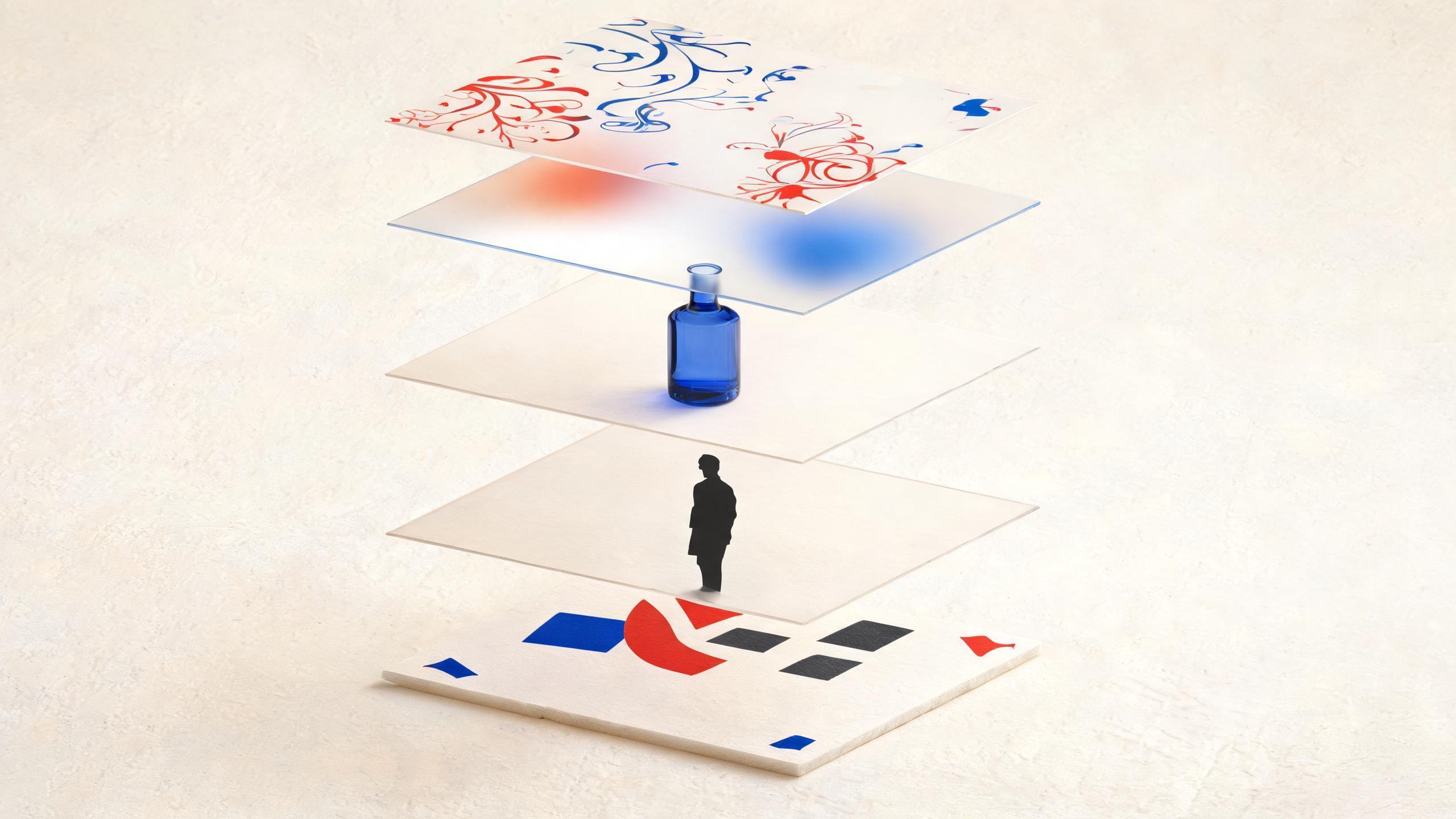
Intelligently analyze image content and split complex visuals into editable independent layers so you can redesign, refine, and create secondary assets with more flexibility.

Simple credit pricing
레이어 분리 모델을 선택하기 전에 Pro와 Seedream 5.0 Flash의 크레딧 비용을 비교하세요.
1K / 1.5K / Auto per generation
2K per generation
크기 무관, 레이어 분리 1회당
Turn one complex image into separate layers for text, subjects, and backgrounds.
Guide the split with layer notes, or let the model analyze the image automatically.
Reuse isolated layers for posters, product comps, and secondary creative work.
Choose 1K, 1.5K, 2K, or Auto to match your delivery needs.
모델 선택
참조 이미지 최대 1개 · 각 파일은 30MB
이미지 한 장을 업로드하면 편집 가능한 레이어로 분리됩니다. 프롬프트는 선택 사항입니다.
0/5000 자
일상적인 스마트폰 촬영의 일관된 질감을 더합니다.
이미지 결과




Creative directions for layered redesign
Explore visual directions that benefit from separating text, subjects, and layout blocks into editable layers.
What is Seedream 5.0 Pro Layer Decomposition?
레이어 분리는 원본 이미지를 편집 가능한 독립 레이어로 나눕니다. Seedream 5.0 Pro의 전체 이미지 생성·편집과 달리 기존 구도에서 시작하므로 이미지를 처음부터 다시 만들지 않고 텍스트, 피사체, 배경을 수정할 수 있습니다.
Smart content analysis
Analyze the uploaded image and separate meaningful regions into independent layer outputs.
Editable independent layers
Get layer images you can revise, replace, or recombine for design and remix workflows.
Optional layer guidance
Add a short prompt to describe how text, subjects, or backgrounds should be grouped.
One-image workflow
Upload a single source image and generate a multi-layer result set in one task.
Size and format control
Choose 1K, 1.5K, 2K, or Auto, then export as PNG or JPEG.
Commercial design fit
Useful for posters, product visuals, campaign variants, and layout-heavy creative revisions.
How to use Layer Decomposition
A short workflow from upload to editable layer outputs.
Upload one source image
Choose a poster, product visual, or layout-heavy image you want to split.
Add optional guidance
Describe layer goals such as text blocks, subject, or background if you want more control.
Pick size and format
Select 1K, 1.5K, 2K, or Auto, then choose PNG or JPEG output.
Download editable layers
Review the multi-layer result set and reuse each layer for redesign or secondary creation.
Where Layer Decomposition helps
Use it when a finished visual still needs flexible edits across separate parts.
Poster and campaign remix
Separate headlines, subjects, and backgrounds so campaign variants are easier to rebuild.
Product visual revision
Isolate product subjects from surrounding layout elements before refining ecommerce creatives.
Typography and layout edits
Pull text-heavy regions into their own layers when you need clearer layout control.
Secondary creative production
Turn one source composition into reusable layer assets for follow-up design work.
Layer Decomposition specs
Key details for the Seedream 5.0 Pro Layer Decomposition workflow.
Seedream 5.0 Pro Layer Decomposition FAQ
It analyzes a source image and splits complex content into editable independent layers so you can redesign and remix more flexibly.
No. A prompt is optional. You can upload one image and let the model analyze the content, or add guidance for how layers should be grouped.
One source image is required for each Layer Decomposition task.
1K, 1.5K, and Auto cost 10 credits per generation. 2K costs 14 credits per generation.
You can choose PNG or JPEG for the generated layer outputs.
Layer Decomposition focuses on splitting one source image into editable independent layers, while Seedream 5.0 Pro image generation creates or edits full images from prompts and references.
Start splitting layers with Seedream 5.0 Pro
Upload one image and turn a complex visual into editable layers for redesign and secondary creation. Seedream 5.0 이미지 작업 공간